
Capture
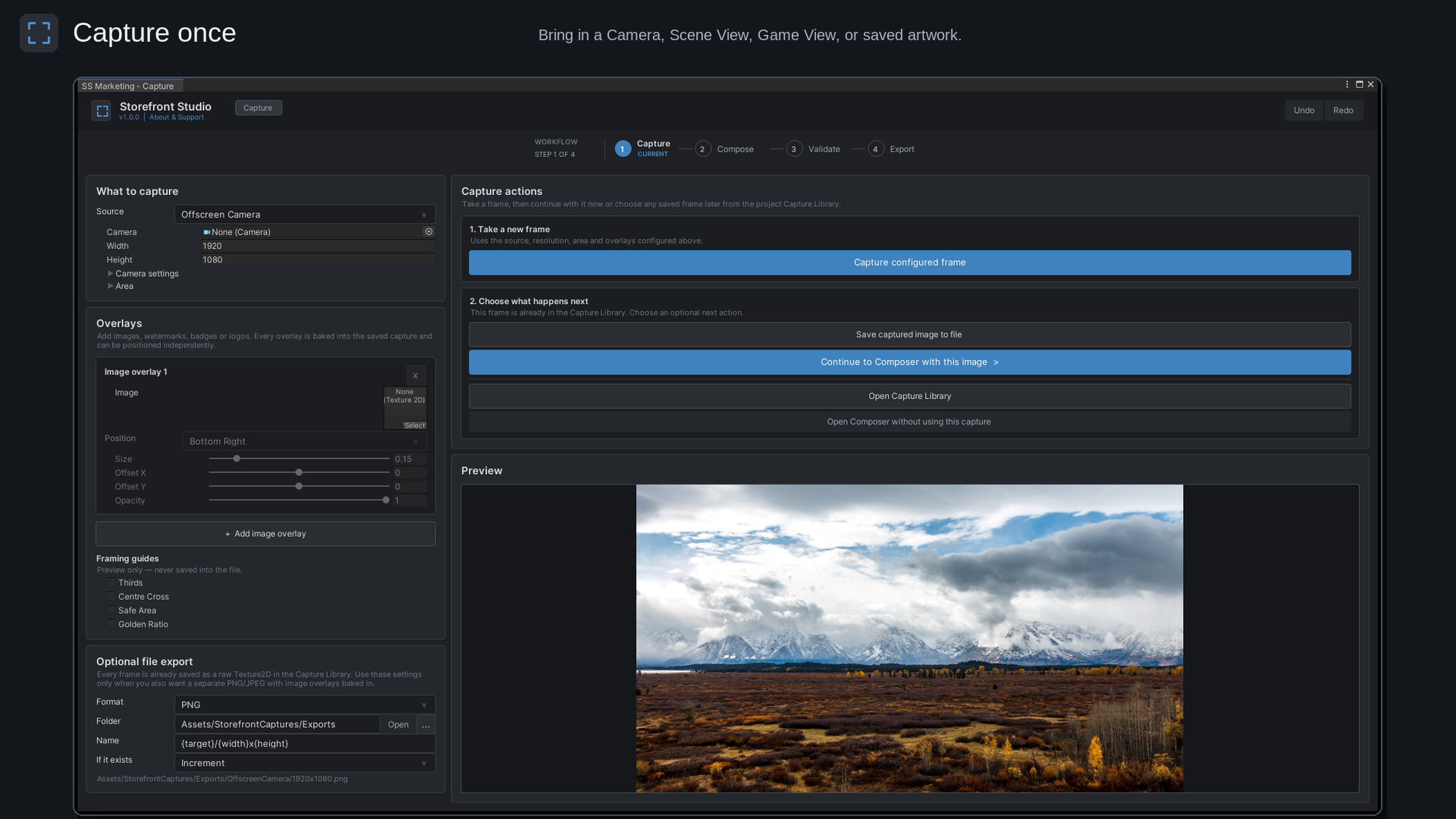
Capture Game View, Scene View, or an offscreen camera, add overlays, crop, and keep reusable frames inside the project.
Unity Editor production tool · Available now
Capture once, create and adjust assets for multiple storefronts, preview their placement, validate, and export - all inside Unity.
Available now on the Unity Asset Store and itch.io. Fab publication is pending.
One workspace
Move from a fresh capture or existing artwork to a checked, correctly sized export without leaving the Unity Editor.
Capture Game View, Scene View, or an offscreen camera, add overlays, crop, and keep reusable frames inside the project.
Layer artwork and text, then move, scale, rotate, mirror, snap, and fine-tune every element visually or numerically.
Check dimensions, formats, transparency, missing content, text overflow, source resolution, and applicable size limits.
Batch export selected sizes as PNG or JPEG with configurable folders, filenames, quality, and collision handling.
Adapt one design
Start with shared design settings, then customize individual outputs whenever a crop or layout needs special attention.
See the workflow
Real Storefront Studio views using the included sample artwork.
Product trailer
Watch Storefront Studio move from capture through composition, validation, and batch export.
Good to know
Storefront Studio supports Unity 2022.3 LTS or newer and requires TextMesh Pro.
No. Storefront Studio is Editor-only and adds no runtime components to player builds.
No. Processing happens locally. Storefront Studio does not upload project content, collect analytics, require an account, or make background storefront requests.
No. Validation is rule-aware, and placement previews are original approximations. Always confirm the latest official storefront requirements before publishing.
Storefront Studio is available now on the Unity Asset Store and itch.io. Fab publication is pending.
Storefront notice: Storefront placement previews are original approximations, not replicas of live store pages or guarantees of platform acceptance. Storefront Studio is not sponsored by or affiliated with the storefront operators referenced by its output presets.
Trademark notice: Unity is a trademark or registered trademark of Unity Technologies or its affiliates in the United States and elsewhere.